Monday, March 3, 2014

Web Hosting: What and Why?

Over the past few weeks, we have been learning how to start programming a website by building it from the ground up. However, I’m sure at some you have started to ask yourself, “So I’ve coded a basic website, now what?”(just as I thought). Sure it feels awesome to code and work on very own website, but it doesn’t do much good if the only people that can see it in the web browser are ourselves. We need a way to get the cool website we just designed and great content we have out to people surfing the Internet. Enter web hosting–


Web hosting is how we can take the .html file that we have programmed on our laptop, in our comfy recliner and slippers, and get it out there for the world to see. Web hosting is actually a rather simple concept to understand: A hosting company sets up certain designated computers in a facility, usually in a datacenter.
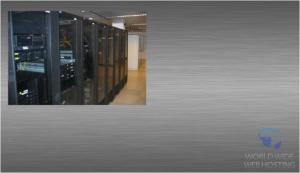


These computers are called web servers. The only purpose that a web server has is storing the files of a website until a person visits that website, at which point the server retrieves the information as quickly as possible to be displayed in the visitors web browser.


Ideally, a server should be able to respond to hundreds of requests at a time, however responding to at least a few dozens at any given moment is pretty much a necessity. While you could “technically” host a website from your own computer, most ISPs (Internet Service Providers) would not allow you to run a web-related server on their networks. 


And even if you could, or find a way around that, to host on a consumer connection wouldn’t do very much good. At most a few people might be able to access our website before the limited megabyte upload/download speed and bandwidth would have our site coming to a fast crash. All this is has been without even mentioning the very high costs it would take to get a connection able to do only slightly more than this.


Therefore, we will leave it up to the professional web hosting companies to do this for us at a much lower cost to our precious pocketbooks. This really leaves us with one question to ask; Who do I chose to do my web hosting? While there is no real shortage of companies out there who would love to take our business (and our money!), I would suggest sticking with the few big and reputable ones, at least for now while we are starting out. The ones I would go with are:


            iPage
            BlueHost
            Host Gator


Monday, February 24, 2014

JavaScript Part Deux

JavaScript Part Deux

Last week I talked about some of the simple things that JavaScript could be used for when building a website. This week I will go a little more depth with some of the "how" and also talk about why we need to be including JavaScript in our website and web development plans.


JavaScript is the first step in web designing that brings our static HTML webpages to life. It is used to add user interactivity to or otherwise unidirectional HTML page. JavaScript allows us to have a prompt box appear that welcomes visitors to the site as they visit, or thanks them as they leave. These two are very simplistic examples, but I hope it shows the overall point that I want to make, which is that JavaScript is the reason why websites and the Internet as a whole was able to become an avenue for two-way communication, rather than being the equivalent of books, magazines and newspaper digitized to a computer screen.

This is the exact reason why we absolutely must include JavaScript into our websites and web development plans. If we don't, then our website will be as useful to people today as a site that they are viewing that was made back in the 90's!

So let's go a little more into the "how" now, shall we? By "how" I don't mean actually showing how to write the code (the resources in my last post can do a much better job than I can). What I want to show is how JavaScript can be used to accomplish some basic things, and when multiple of these things are combined, a more complicated element can be achieved. Let's start with this simple script:

Now this piece of script might look complicated, but in actuality its no more difficult to understand than having a few If-Then statements from Algebra class. Now you might be saying, "But Algebra class was difficult!", so let me just tell you I understand, because Algebra class was no cake walk for me either. However, when we look at what this is telling us, or more importantly the web browser, all it is doing is setting a few variable conditions that, when met will tell the browser to deliver a specific result, or not to deliver a result. 

An example of how the above can be used is if you have a site where you want runners to log the distance that they run per day. Let's just say that you are tracking them in meters. Now, when the runner enters in their data for the day, and they ran over 100 meters, this script is setup to recognize that as being "too far", and you can have a specific prompt or action to come up that maybe congratulates the runner for an over achievement. 

The same concept would apply to someone who logs a run for less then the distance you are requesting that they run. Hopefully it can be seen how useful this could be, even on a level this basic.

That is the beautiful thing about JavaScript; It allows us to truly begin implementing client-side interactivity into our websites with a variety of responses for different scenarios. Hope this week helped a little more with understanding JavaScript and what it can be used for and why. If you have any experience with JavaScript, or you are even just interested in starting it, please leave a comment below telling your thoughts and/or experiences with it. I would really like to here from you!


Monday, February 10, 2014


JAVASCRIPT: PART UN

Definition of Javascript: an object-oriented computer programming language commonly used to create interactive effects within web browsers.

You might be thinking, “Hmm, what in the world does that mean…” Well, that is exactly what I said when I first decided to dip my toe into Javascript. At first, it seemed a bit overwhelming, especially when I compared it to what I had been learning with HTML and CSS. Unlike the other two, which for me seemed much more straightforward in the coding, Javascript is an entirely new “monster”. 

The first thing I realized about Javascript is that in order to begin learning it, I needed to go back to a place where I thought I left a lot of bad memories in my life behind; Math class. Javascript, unlike HTML and CSS, is rooted firmly in the use of functions. That’s right, all those IF THEN functions that I loved loathed so much from high school and my first years of college, concepts I thought I was done with for next to forever, have wiggled their way back into my life. “Oh, well” I said, deciding to suck it up and give it my darnedest try. And as luck would have it, I found out that when it comes to Javascript functions, unlike in my previous math life, I am amazing! Ok, maybe not quite amazing just yet, however what is really amazing is how much simpler it all is than I thought. 

So, to illustrate I’ll go through I little basic javascript code that I have been putting together. Keep in mind, this is not to knock your socks, only a simple illustration to show that if its what you really want to learn to do, its not that hard in actuality. Ok, here we go:


Today's Date

Click the button to display a date after changing the year, month, and day.

The code shown in the picture above is all that is necessary to make a cool functioning little button that, in this case, will tell you the exact time based on where you are at the moment. Now you may be thinking "Wow, that's kind of a lot for just one button. What if I want to have 20 different buttons?" This is exactly what I thought at first, however I am beginning to understand that while there are some shortcuts and other little things you can setup for yourself to make your task a bit easier, this is something that simply comes with the territory of coding and programming.

As for resources that you can use to begin your own journey down the Javascript path, I recommend giving the following sites a visit. The information that they have definitely helped me to get started, and I believe they will most likely be able to help you:
Codecademy.com
A free online course to get your feet wet in Javascript.
Makeuseof.com
A good explanation and example of what exactly Javascript is and how to use it effectively.